Press kit
Last updated: 2026-08-28
Everything you need to write about Emerald Tools is on this page: the icon, screenshots, three lengths of boilerplate copy, and a fact sheet. You do not need our permission to use these assets in editorial coverage, and you do not need to tell us in advance.
Fact sheet
- Name
- Emerald Tools
- Developer
- Independent solo developer. Emerald Tools is the product and brand name; on the App Store, the seller is listed under the developer’s legal name.
- Category
- Utilities
- Platform
- macOS 14.0 (Sonoma) or later
- Current version
- 1.0.1
- App languages
- English, Japanese, German, Spanish, French, Korean, Portuguese (Brazil), Simplified Chinese
- Pricing
- Auto-renewing subscription, monthly or yearly, after a 14-day free trial. Current prices are shown on the App Store.
- Availability
- Mac App Store, worldwide. Not currently available in the European Union.
- App Store
- apps.apple.com/app/emerald-tools
- Website
- emerald-tools.com
Boilerplate
Three lengths of the same description. Copy whichever fits your format — no attribution or approval needed.
One line
Emerald Tools is a menu bar app for macOS that combines live wallpapers on every display, system monitor widgets, and screenshots that upload straight to Google Drive.
Short (about 50 words)
Emerald Tools is a menu bar utility for macOS 14.0 or later. It sets a different live wallpaper on each display, puts CPU, GPU, memory, network and disk widgets on the desktop, uploads screenshots to Google Drive and copies the share link, collects images from the web, and converts animated WebP to MP4.
Long (about 150 words)
Emerald Tools is a menu bar utility for macOS 14.0 (Sonoma) or later that gathers a set of desktop tools into one app with no Dock icon. It manages wallpapers across multiple displays — still images, video, Photos albums, or downloaded macOS Aerial videos — and can switch them on a schedule. It draws system monitor widgets for CPU, GPU, memory, network, battery, thermal state and disk activity on the desktop, keeps a history of those metrics, and can show your own claude.ai usage alongside them. It captures the full screen, an area, or a single window, optionally uploading each shot to your Google Drive and copying the share link. A Safari extension feeds a collector that gathers images from web pages, and a converter turns animated WebP into MP4. There is no developer-operated server, no analytics, advertising or crash-reporting SDK, and its App Store privacy label is Data Not Collected.
Assets
The archive holds everything below, plus a short usage note. Individual files are linked underneath if you only need one.
Download the full press kit (ZIP)
App icon



Screenshots
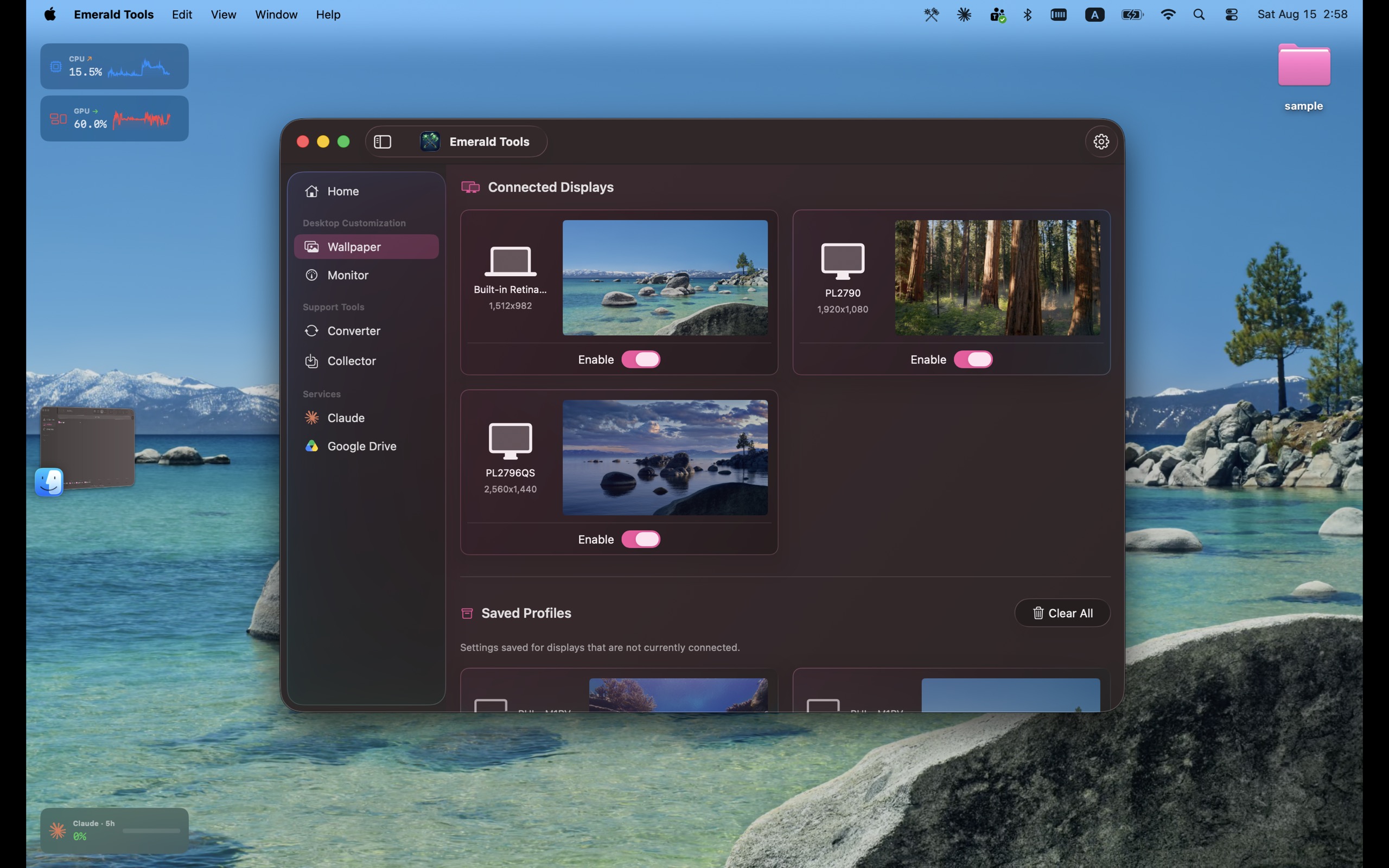
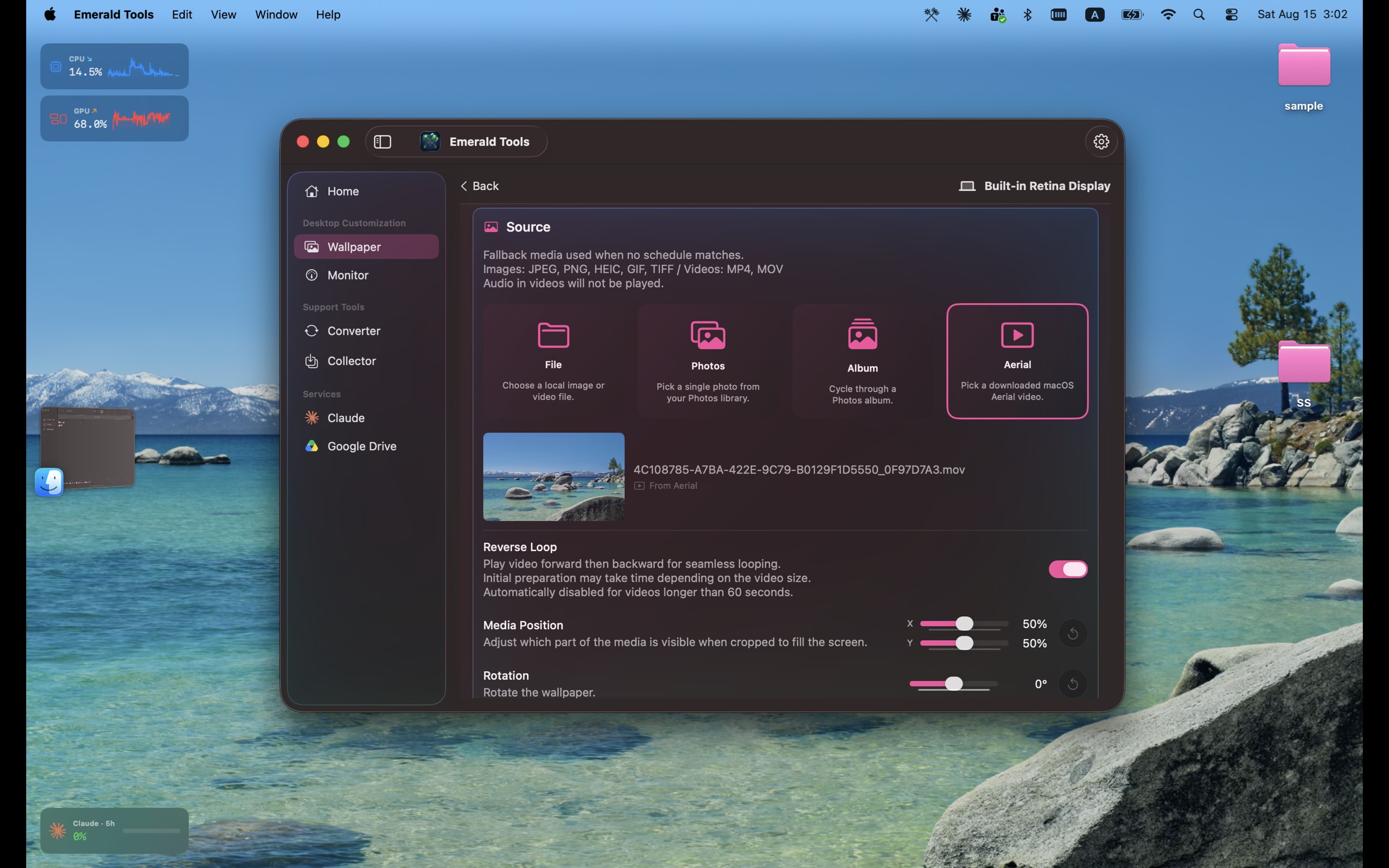
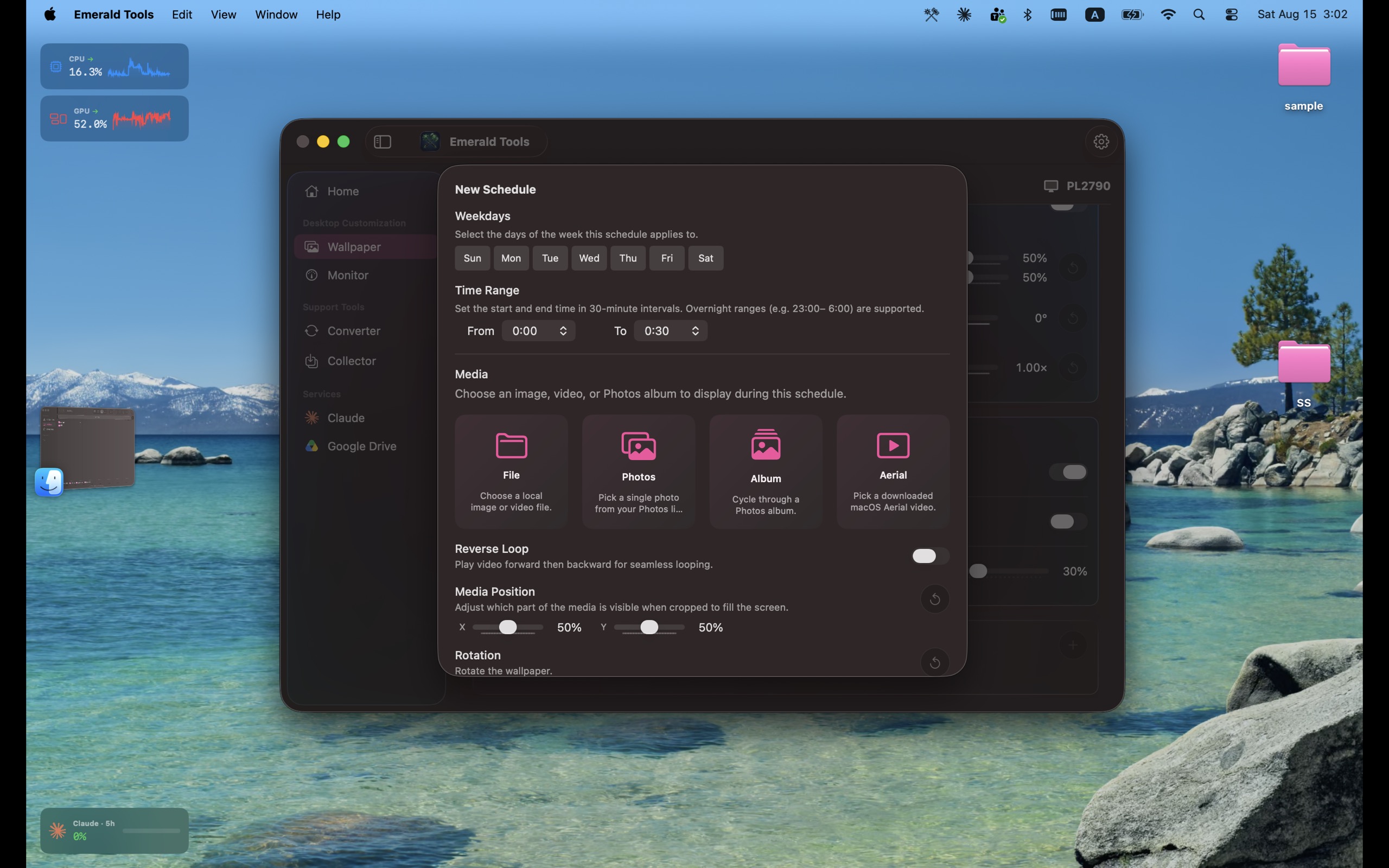
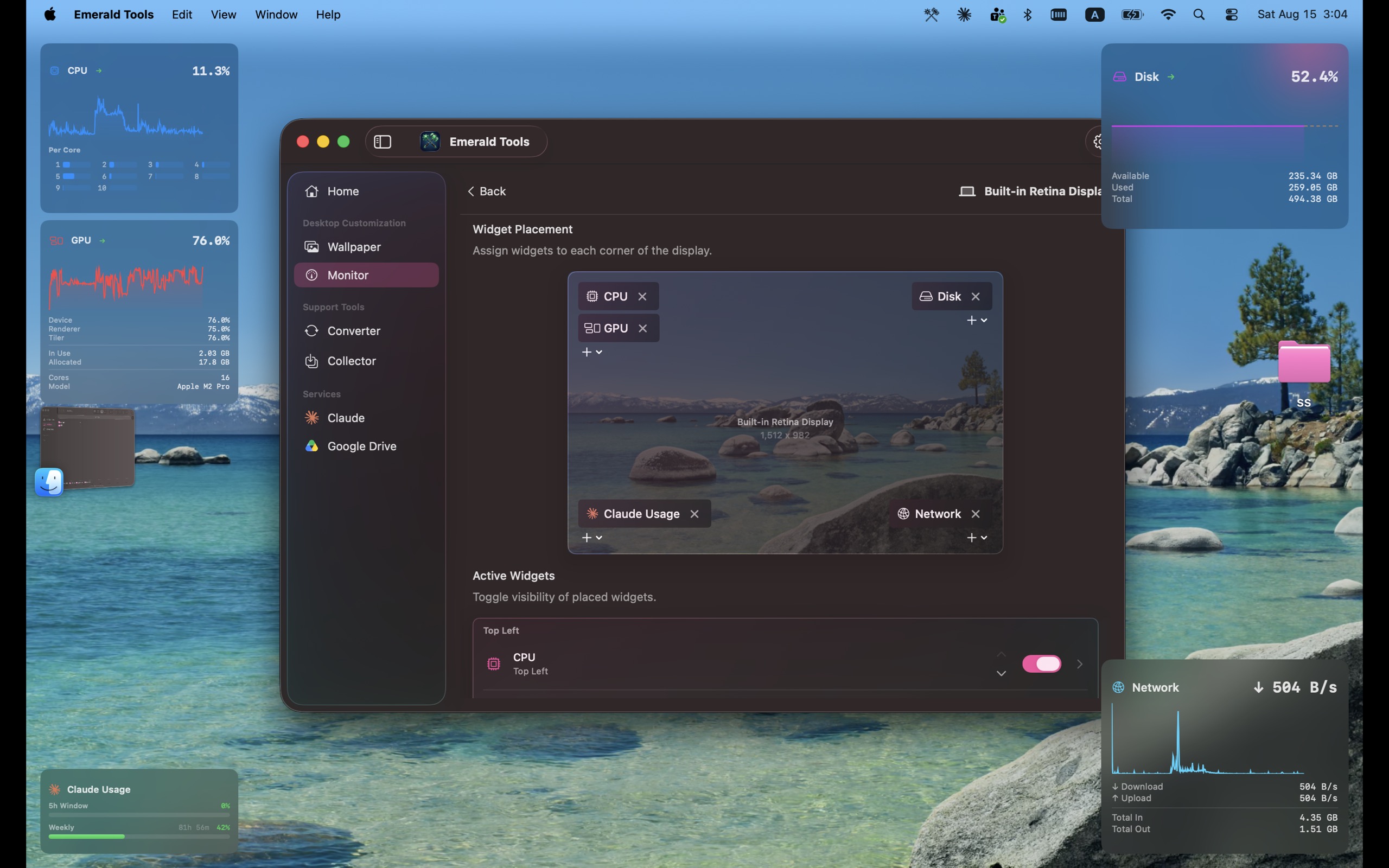
JPEG, 2560 x 1600, shown in English.
- Wallpapers across connected displays
- Choosing a wallpaper source
- Scheduling a wallpaper change
- System monitor widgets and their placement
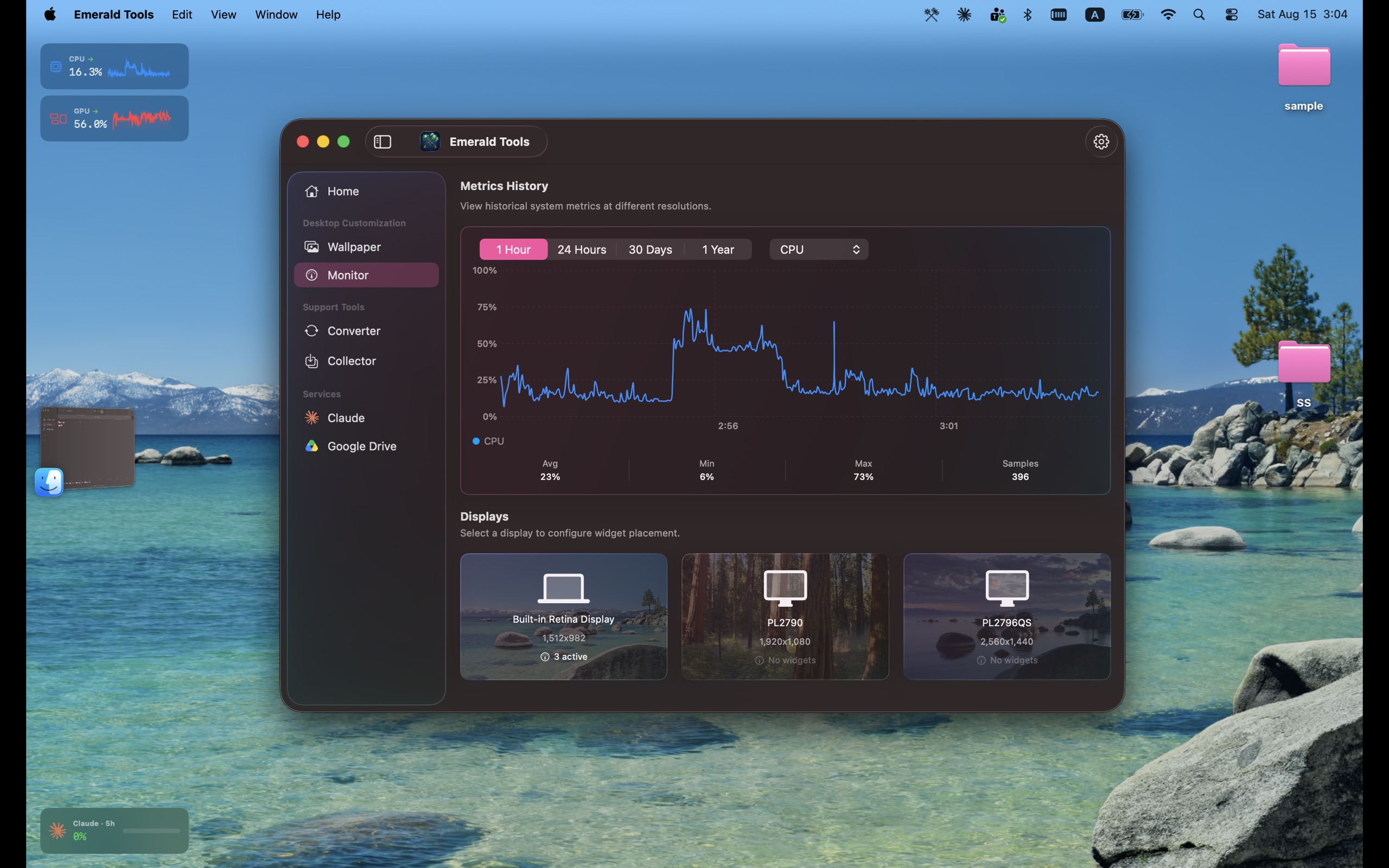
- Metrics history
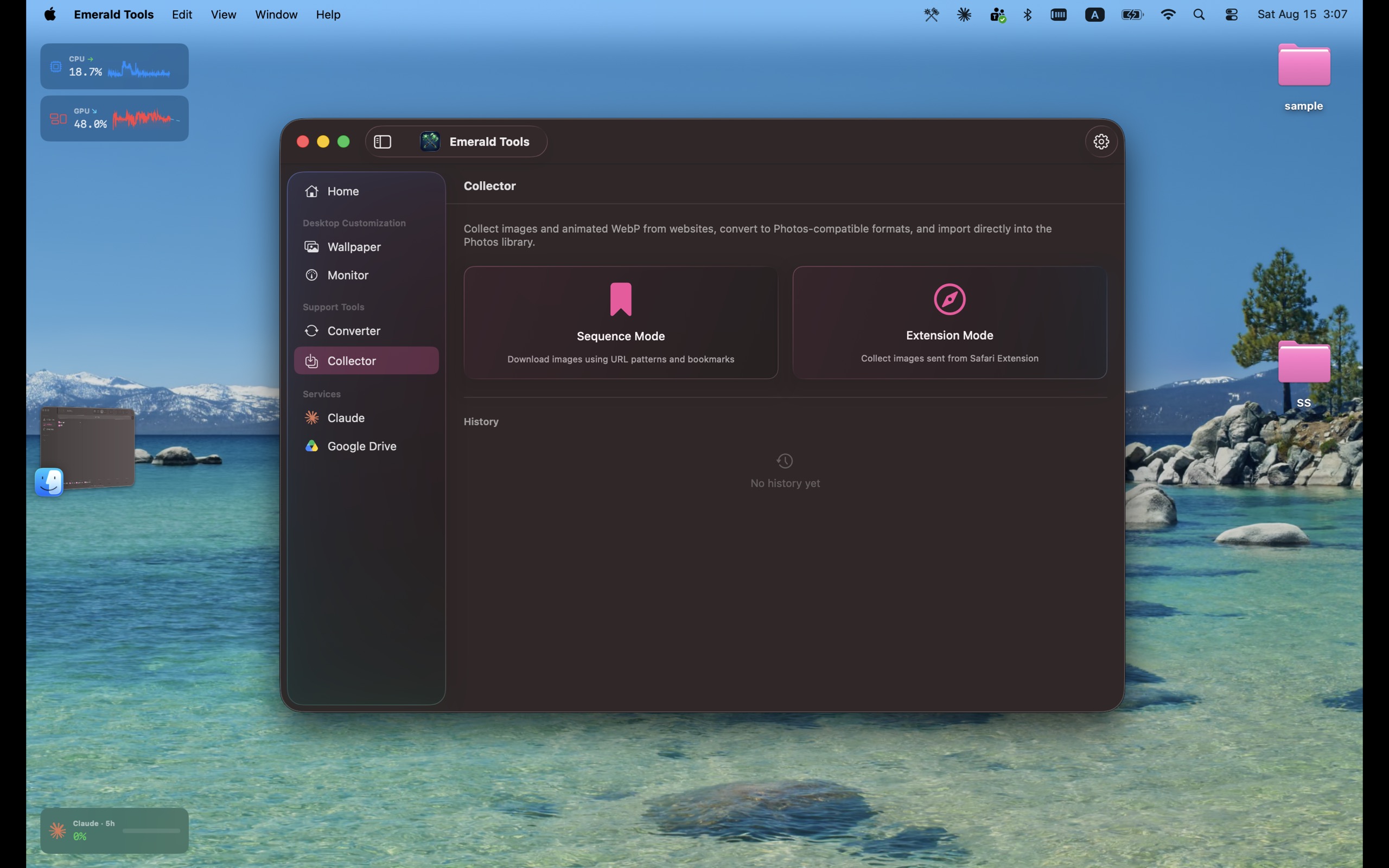
- The image collector
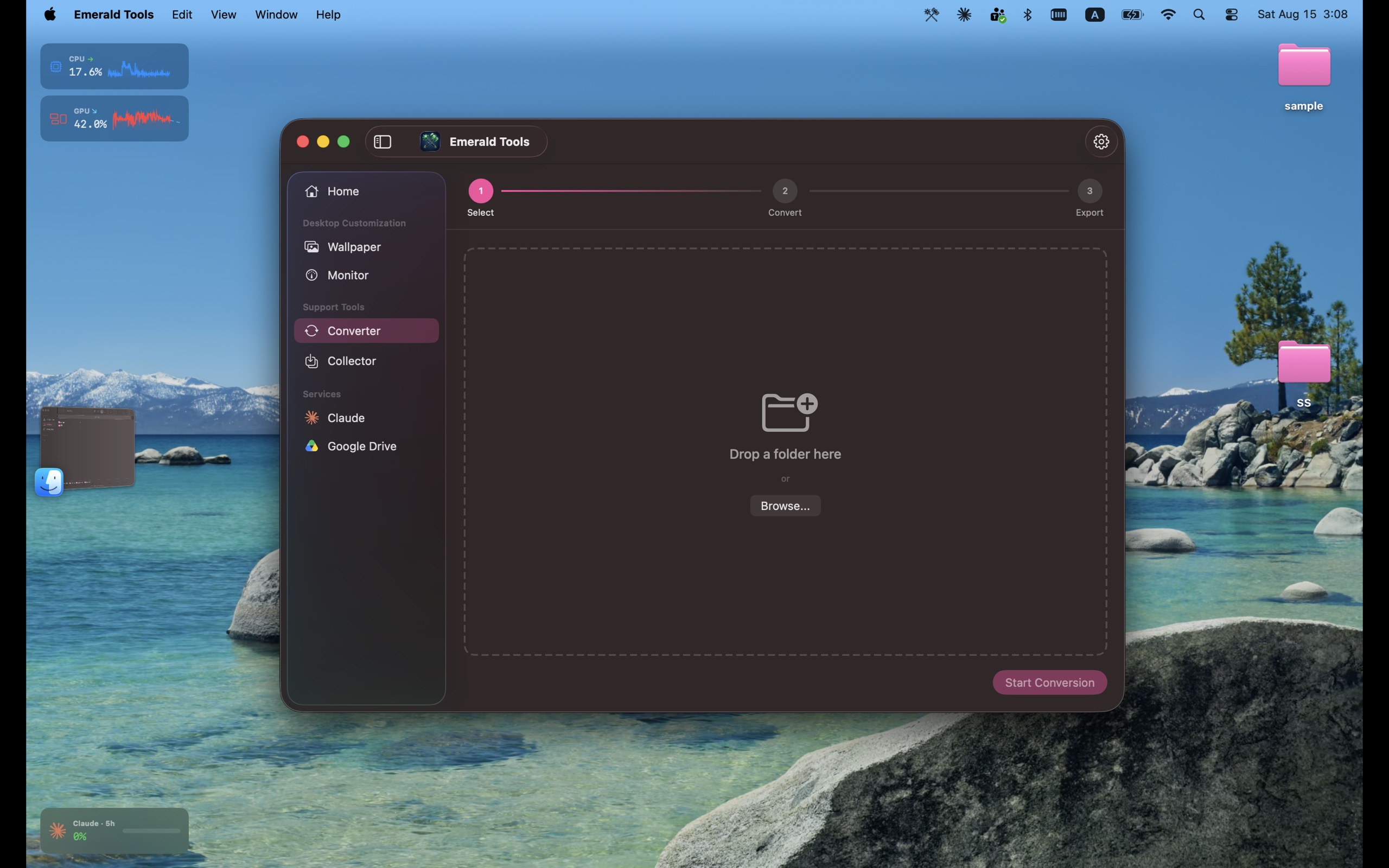
- The animated WebP to MP4 converter
Using these assets
- Do not alter the icon: no recolouring, no cropping, no added effects, no rotation. Resizing is fine.
- Screenshots may be cropped and scaled. Please do not composite other products into them or edit the interface they show.
- Refer to the app as Emerald Tools, in full. If your publication also needs the name of the developer, use the seller name shown on the App Store listing, or ask us through the contact form.
- Please do not present Emerald Tools as affiliated with, endorsed by, or a partner of Apple, Google, or Anthropic. Their trademarks belong to them.
Review codes
If we have sent you a subscription offer code, it unlocks the full app at no cost for the length of the offer, so you can try every tool before you write. We do not ask for coverage in return, and there is no embargo.
Redeeming a code
- Open the redemption link in the message we sent you. It takes you straight to the App Store with the code filled in.
- If you would rather enter it by hand, open the App Store app on your Mac, click your name in the bottom-left corner, then click Redeem Gift Card in the top-right corner and type the code.
- Sign in with the Apple Account you use for the Mac App Store and confirm. If Emerald Tools is not installed yet, you can install it during this step.
- Open Emerald Tools. The subscription is already active, and you can see it under Settings > Subscription.
Worth knowing
- Redeeming an offer code on a Mac requires macOS 15 or later, per Apple's documentation — even though Emerald Tools itself runs on macOS 14.0 or later.
- Each code can be redeemed once, and it stays with the Apple Account that redeemed it.
- If a code will not go through, tell us through the contact form and we will send another.
Contact
Interview requests, review codes, and anything the page above does not answer — the form reaches the developer directly.